KSQL — Konduit SQL
KSQL is Konduit's SQL dialect. It runs against your workspace's DataTables and powers:
- Dashboard widgets — drive metrics, charts, and tables
- Routines — email a query result on a recurring schedule
- The SQL Console — ad-hoc queries with infinite scroll and CSV export
- Embedded query blocks — drop a live result into any task description or comment
KSQL is a SELECT-first subset of standard SQL. Use SELECT, JOIN, GROUP BY, WHERE, ORDER BY, LIMIT, subqueries, and most common functions exactly as you would in any SQL database. UPDATE and DELETE are also supported — they run behind a confirmation step (a dry-run preview shows what will change before you commit) and require the right role. INSERT, DROP, ALTER, and other schema/dangerous operations are blocked — see Limitations for the full list.
The visual query builder and the SQL text editor are two interfaces to the same engine — they produce identical results.
Scope: KSQL queries DataTables — your relational tables (customers, inventory, tickets, line items, anything you build). Konduit's Tasks system has its own filtering, views, and dashboards, but isn't queryable via SQL today. If you want a query-driven view over task-like data, model it as a DataTable.
Where to run queries
The Query Console is built into the Konduit app — open it from anywhere with:
- Keyboard shortcut:
Ctrl + J(Windows / Linux) orCmd + J(Mac) - Top navigation: click the
Querybutton (terminal icon) in the topnav
It slides up from the bottom as a dock — paste any of the examples on this site, hit Run, and the results appear with infinite scroll + CSV export.
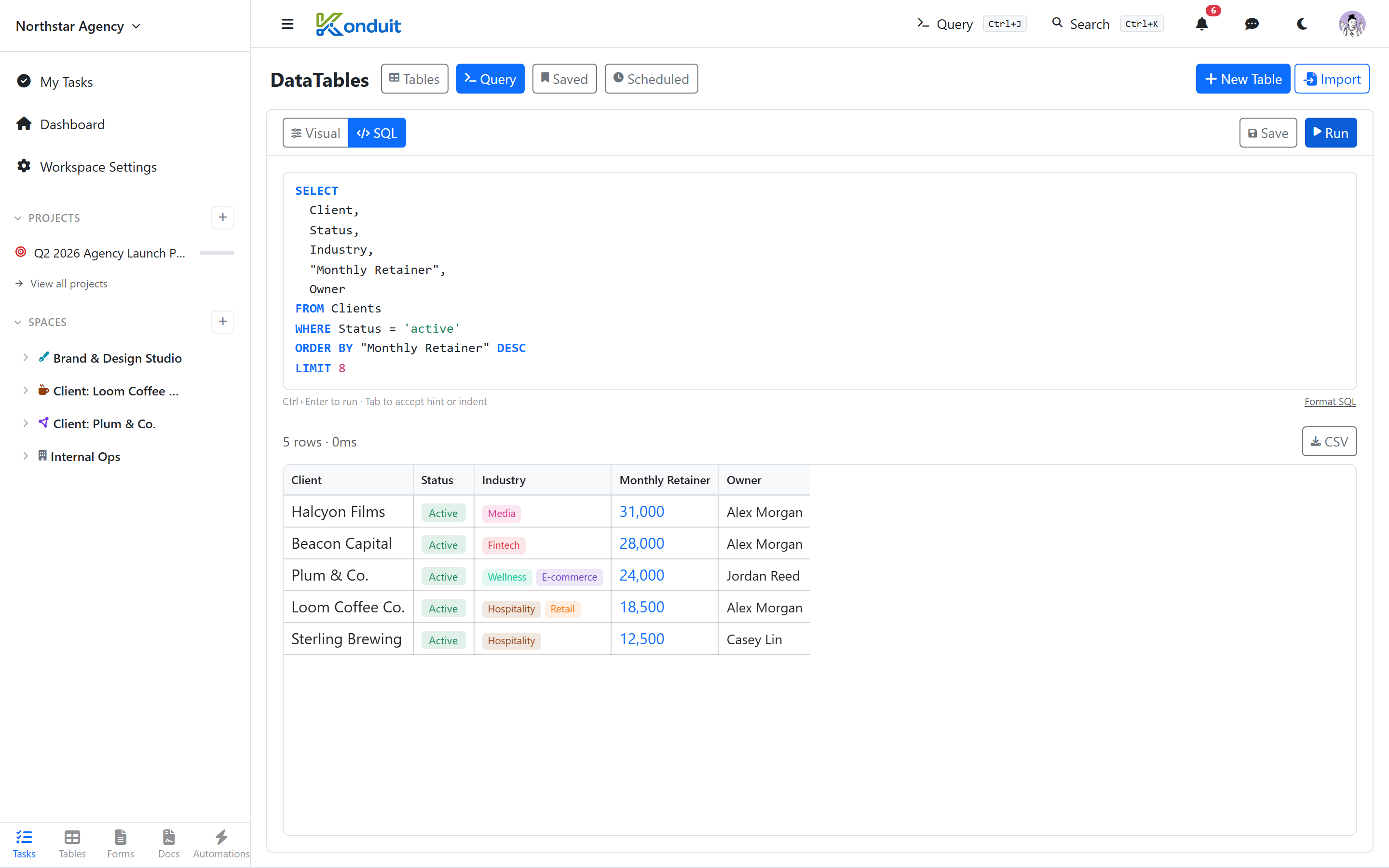
Quick example
SELECT Name, Status, Revenue
FROM Customers
WHERE Status = 'active' AND Revenue > 50000
ORDER BY Revenue DESC
LIMIT 10
KSQL is read-first. SELECT runs for anyone with query access. UPDATE (member or higher) and DELETE (admin or higher) run in the same Query Console — but each first shows a dry-run preview of exactly which rows will change and waits for your explicit confirmation before committing. INSERT and all schema operations (DROP, ALTER, CREATE, …) are blocked outright — add rows through the table UI, a form, or the API. See Limitations for the full list.
What's covered
| Section | Topic |
|---|---|
| Query Basics | SELECT, FROM, WHERE, ORDER BY, LIMIT, DISTINCT, DESCRIBE |
| Joins | INNER JOIN, LEFT JOIN, multi-table, aliases |
| Grouping & Aggregation | GROUP BY, HAVING, COUNT, SUM, AVG, MIN, MAX, GROUP_CONCAT |
| Operators | Comparison, logical, arithmetic, array (CONTAINS) |
| Expressions | Arithmetic, string concat (||), CASE WHEN |
| Subqueries | IN (SELECT …), scalar subqueries, derived tables, depth-3 nesting |
| Functions | String, math, date, conditional, array — full reference |
| Special Columns | Person columns, Relation columns, Tags/CONTAINS |
| Identifiers & Escaping | Quoting names, escaping strings, comments |
| Recipes | Practical examples by category |
| Limitations & Errors | What's not supported + error message reference |
Result limits
Every query returns a maximum of 1000 rows, even if LIMIT is set higher. For larger datasets, paginate with OFFSET or apply filters to narrow results. CSV exports from the SQL Console have a separate higher ceiling — see the in-app docs.
Caching
Query results are cached for 5 seconds. Writes (add, edit, or delete rows) invalidate the cache immediately so subsequent queries see fresh data.