Formulas
A formula column computes its value from other values on the same row. Like a spreadsheet cell, but on the server — formulas re-compute when their inputs change, so the stored value stays fresh.
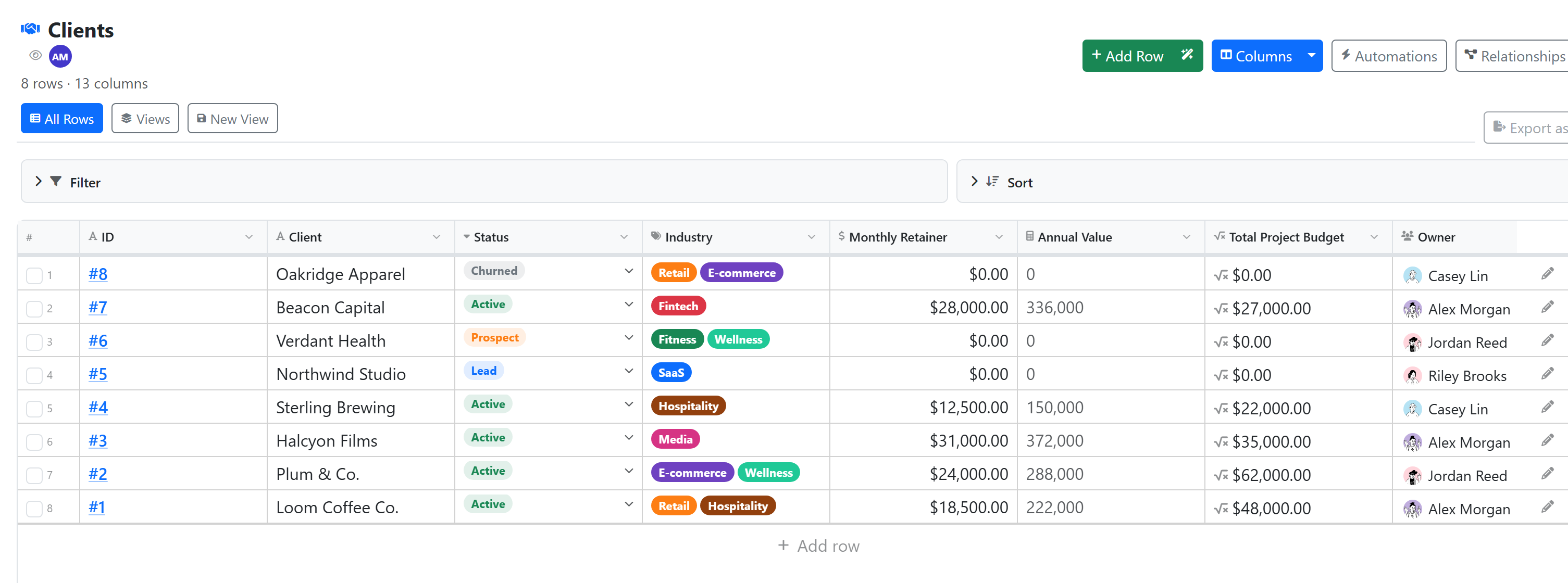
A formula is a DataTable column type. You'll also see formula columns compute on the line-item rows shown inline on a task via an items-mode datatable-link field — those rows live in a DataTable too.
Formula vs Roll-up
These are the two computed column types, and they work on different axes:
| Formula | Roll-up ("Linked Summary") | |
|---|---|---|
| Direction | Horizontal — across columns of one row | Vertical — down one column of many linked rows |
| Answers | "Combine these fields on this row" | "Total / count / average the linked rows" |
| Example | {Price} * {Quantity} = line total |
Sum every invoice linked to this customer |
| Config | An expression | Pick a linked table, a column, and an aggregation |
Rule of thumb: sum multiple columns → formula. Sum one column across linked rows → Roll-up. They compose, too — a roll-up can aggregate a formula column (e.g. a per-row {Qty} * {Unit Price} formula, then a roll-up that sums it across all line items).
Writing a formula
In the column configuration, switch the type to Formula and enter the expression. Column references use curly braces: {Price} * {Quantity}.
The visual builder lists your available columns and clicking one inserts the correct reference for you — you rarely need to type {...} by hand.
Supported syntax
Formulas are intentionally simpler than full SQL — they run per-row on every insert and update, so they're tuned for fast value-level math, not data manipulation.
Operators:
| Type | Operators |
|---|---|
| Arithmetic | +, -, *, /, % (modulo) |
| Comparison | ==, !=, >, <, >=, <= |
| Unary | - (negation) |
String concatenation uses the + operator — if either side is a string, + joins them:
{First} + " " + {Last}
Value functions (13):
| Function | Signature | Description |
|---|---|---|
IF |
IF(cond, then, else) |
Returns then if condition is truthy, otherwise else |
COALESCE |
COALESCE(a, b, ...) |
First non-null argument |
ROUND |
ROUND(n, decimals) |
Round to N decimal places (default 0) |
ABS |
ABS(n) |
Absolute value |
CEIL |
CEIL(n) |
Round up to nearest integer |
FLOOR |
FLOOR(n) |
Round down to nearest integer |
MIN |
MIN(a, b, ...) |
Smallest of the arguments |
MAX |
MAX(a, b, ...) |
Largest of the arguments |
CONCAT |
CONCAT(a, b, ...) |
Join values as strings |
LEN |
LEN(str) |
String length |
LOWER |
LOWER(str) |
Lowercase a string |
UPPER |
UPPER(str) |
Uppercase a string |
TRIM |
TRIM(str) |
Strip leading/trailing whitespace |
Literals: numbers, strings (in single or double quotes), TRUE, FALSE.
Date functions
Formulas have four date functions. Dates in Konduit are stored as timestamps, so these operate on and return timestamp values.
| Function | Signature | Description |
|---|---|---|
TODAY |
TODAY() |
Midnight today (UTC) |
NOW |
NOW() |
The current moment |
DAYS_BETWEEN |
DAYS_BETWEEN(a, b) |
Whole days from a to b (b − a); negative if a is later |
DATE_DIFF |
DATE_DIFF(a, b, unit) |
Difference from a to b in unit: seconds (default), minutes, hours, days, weeks |
-- Age of a record in days
DAYS_BETWEEN({Created}, TODAY())

-- Hours a ticket has been open
DATE_DIFF({Opened}, NOW(), "hours")
Heads up —
TODAY()/NOW()can go stale. A formula only recomputes when its own row is saved (see Recompute timing below), not on a timer. A "days since created" value reflects the last time the row was written. For an always-current figure (live overdue counts, days-until), compute it at read time with a KSQL widget or a Routine instead.
Examples
-- Total = price * quantity
{Price} * {Quantity}

-- Tax-inclusive price (8% tax)
{Price} * 1.08

-- Profit margin %, rounded
ROUND(({Revenue} - {Costs}) * 100 / {Revenue}, 1)

-- Display name
{FirstName} + " " + {LastName}

-- Discount based on tier (nested IF for conditional logic)
IF({Revenue} > 100000, 0.20,
  IF({Revenue} > 50000, 0.15, 0.10))

-- Default for missing values
COALESCE({Website}, {Email}, "No contact")

-- Cap value at 100
MIN({Score}, 100)
For multi-branch conditionals, nest IF() calls — formulas don't have CASE WHEN. The example above (IF(... IF(... ))) is the standard pattern.
What formulas can't do
No aggregations. Formulas reference values on the same row only. For sums, counts, or averages across rows — total of all line items per task, invoices per customer, etc. — use a Roll-up column. For ad-hoc or cross-primitive aggregation, a KSQL widget or Routine can also do the math.
No logical operators (AND, OR, NOT). Use nested IF() or boolean math instead:
-- Instead of: IF({Status} == 'active' AND {Revenue} > 1000, ...)
-- Use a nested IF:
IF({Status} == 'active', IF({Revenue} > 1000, "qualified", "small"), "inactive")
No CASE WHEN. Same workaround — nested IF().
Anything outside the operator and function lists above is unsupported — the whitelist is exactly those symbols and functions, so an unknown name (e.g. DATE_ADD, SUM) is rejected rather than silently ignored.
Cross-table references
If a column links to another DataTable (a Linked Record / relation column), you can pull values from the linked row using dot notation: {customer.revenue} reads the revenue field from the row linked via the customer column.
-- Discount based on the linked customer's tier
IF({customer.tier} == "enterprise", {price} * 0.85, {price})
The linked value is read at the moment this row is computed (see below).
Read-only
Formula columns are computed, not entered — the calculated value always wins, so you can't set or override it through the UI or API.
Recompute timing
Formulas compute on the server when:
- A row is inserted or updated
- A column the formula depends on changes on that same row
- A Roll-up column on the same row recomputes (the formula pass re-runs afterward, so roll-up → formula chains stay consistent)
Cross-table references (dot notation) resolve the linked row's value at the time the referencing row is written. Formulas do not have a background trigger that re-runs a row when a different row it points at changes on its own.
Next
- Roll-ups — aggregate values across linked rows
- DataTables
- KSQL → Functions — for aggregations and query-time math