Tasks
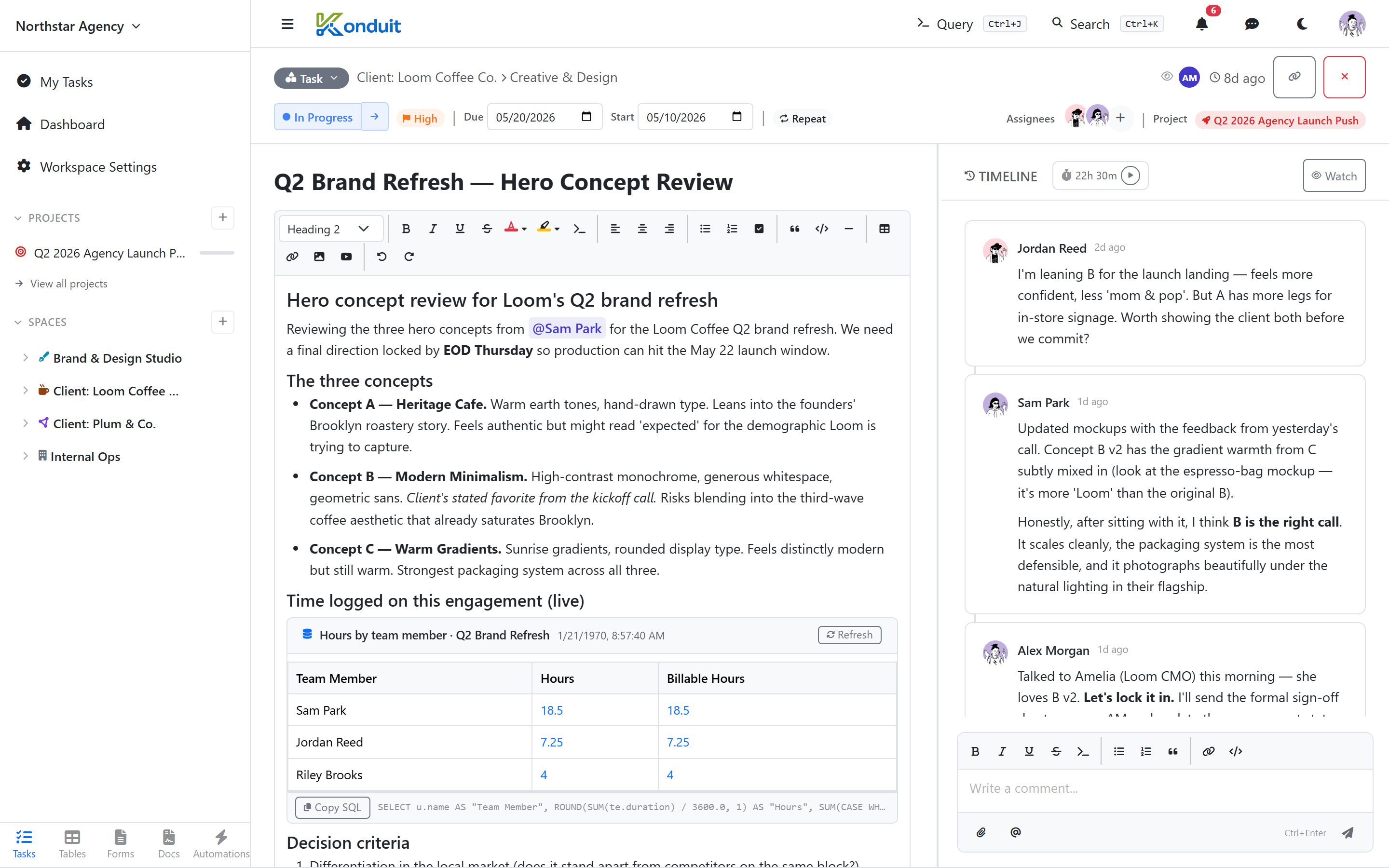
A Task is the core unit of work in Konduit. Tasks live in Lists, inherit the list's statuses and custom field assignments, and gather related items — comments, time entries, attachments, dependencies, checklists.
Creating a task
- From a list view: click + Create Task at the top right
- From a form: a published form submission auto-creates a task in its target list
A new task only requires a title. Everything else (status, priority, due date, assignees) defaults gracefully.
Core fields
| Field | Type | Notes |
|---|---|---|
| Title | string | required |
| Status | dropdown (per-list) | defaults to first active status |
| Priority | None / Low / Medium / High / Urgent | optional; defaults to None |
| Due Date | date | shows in calendar + gantt views |
| Date Start | date | for time-ranged tasks (gantt) |
| Assignees | array of users | many per task |
| Description | rich text | supports @mentions, images, embedded query blocks |
| Time Estimate | minutes | for capacity planning |
| Project | project | cross-cutting initiative |
| Parent Task | task | makes this a sub-task |
| Recurrence | schedule or on-complete | see Recurring Tasks |
Description editor
The description is a full rich-text editor — slash commands, @mentions, image upload, tables, embedded query blocks. See Comments for editor details (same controls).
Status transitions
Drag in kanban, or click the status pill in the task detail. Status changes can fire automation triggers (task_status_changed).
Recurrence
A task can clone itself forward on a schedule (daily, weekdays, weekly, monthly) or when you mark it complete. The recurrence icon in the task toolbar opens the picker. See Recurring Tasks for the full breakdown — including when to use a recurring task vs a recurring automation.
Deleting a task
Deleting a task is a soft delete — it disappears from list views. There is currently no user-facing trash or restore flow.
Related items
| Page | |
|---|---|
| Comments | /help/comments/ |
| Attachments | /help/attachments/ |
| Time entries | /help/time-tracking/ |
| Dependencies | /help/dependencies/ |