Comments
Every task has a comment thread on the right side of the detail modal. Comments support full rich text — bold, italic, lists, tables, images, @mentions, links, and embedded query blocks that show live KSQL results (KSQL is Konduit's built-in query language for pulling live data into a comment).
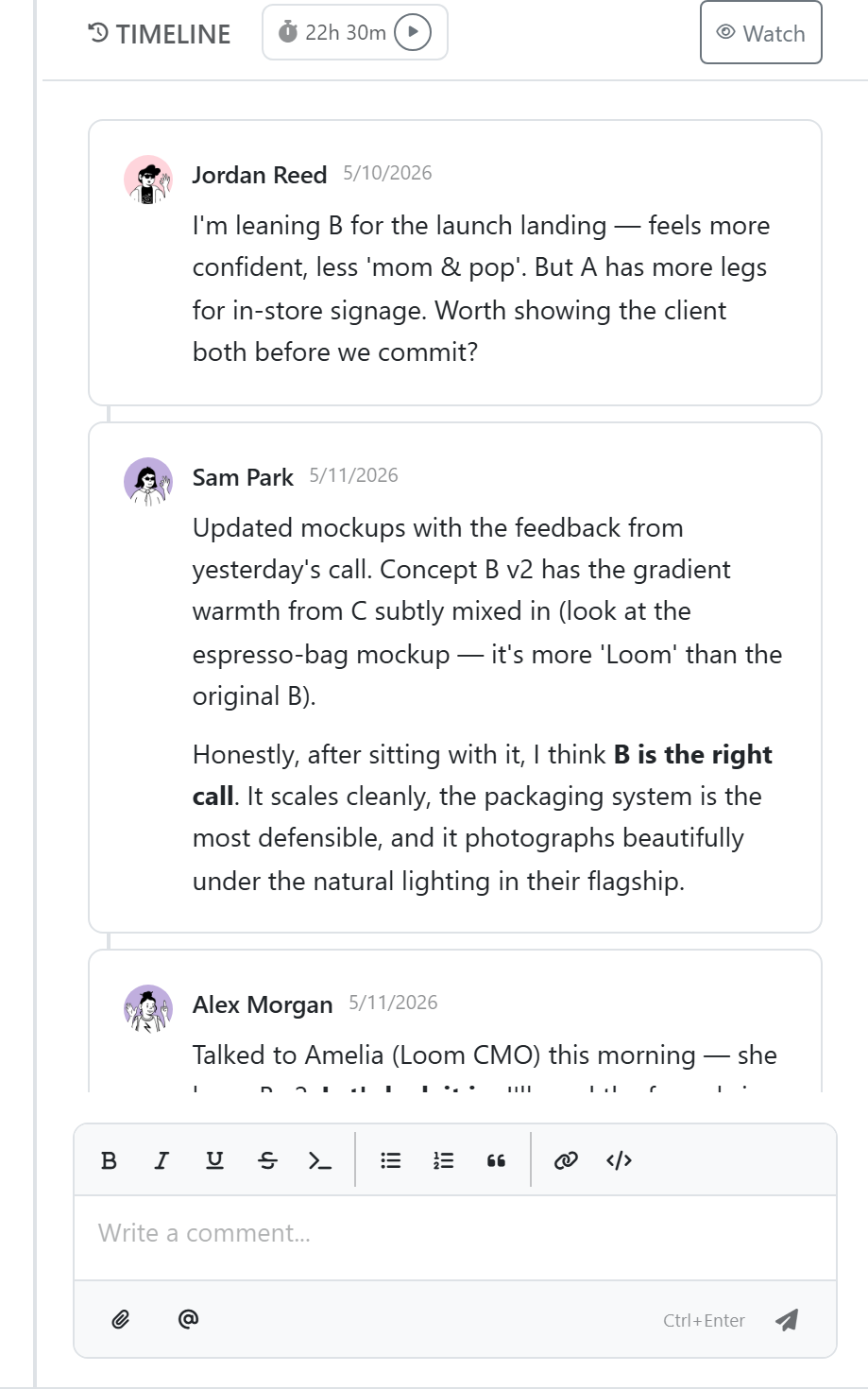
Posting
Click into the comment box and type. The toolbar appears as a floating panel — pick formatting, slash commands (/), or @mention.
Press Cmd/Ctrl + Enter to post. Unposted text is lost when the panel closes — there's no draft persistence.
@Mentions
Type @ and pick a teammate. They get a notification (in-app + email if their preferences allow) and the mention is highlighted in indigo.
Embedded query blocks
Drop a /query slash command into a comment to embed a KSQL result. The result is a captured snapshot (shown with a "captured at" time) — it doesn't re-run on its own. Click Refresh to re-run the query and update the snapshot.
/query
SELECT Name, Status FROM Customers WHERE Region = 'EU'
Image upload
Paste an image, drag-and-drop, or use /image. Files go to private storage; downloads require authentication.
Editing and deleting
Hover over your comment for the edit/delete menu. Edit history isn't currently retained — the latest version overwrites the prior one.
Authorization (API): master keys can edit/delete any comment; scoped keys only their own.
Notifications
You get notified when:
- Someone @mentions you
- Someone replies to your comment (replies are grouped under the parent and viewed in a Thread panel)
- A comment is added to a task you're assigned to or watching