Kanban
Kanban renders the task list as a board: one column per status, one card per task. Drag cards between columns to change status; drag within a column to reorder.
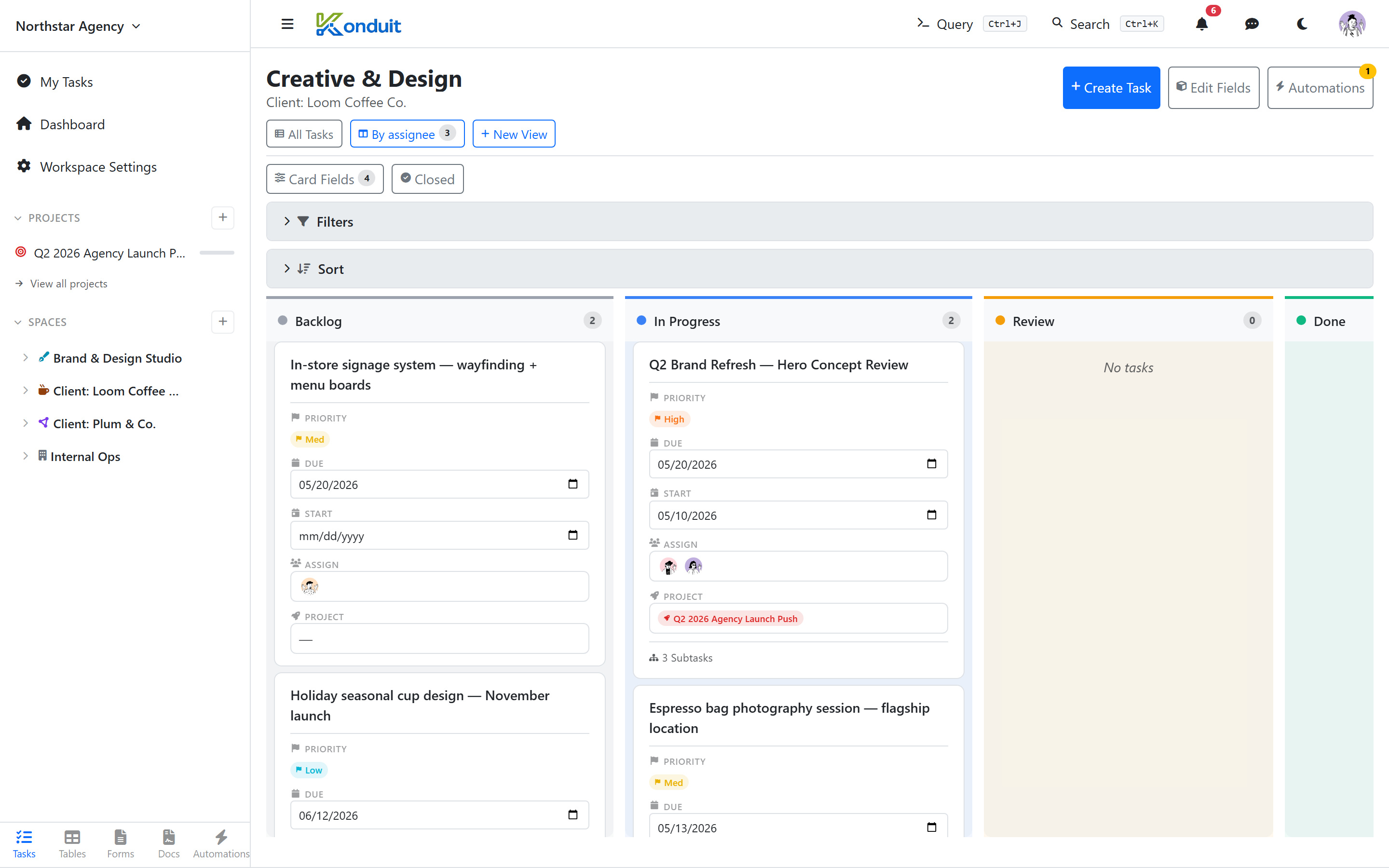
Column source
Columns come from the list's statuses (see Lists → Statuses). Status order in the list = column order on the board. Use the Closed toggle in the board toolbar to hide closed-type status columns (done columns still show) and keep the board tight.
Card content
Each card shows:
- Title
- Priority pill (color-coded): Urgent / High / Med / Low / None
- Due date (with overdue highlight)
- Assignee avatars
- Custom field chips (configurable per view)
Column grouping
Kanban columns always come from the list's statuses — there is no re-group-by control (no grouping by assignee, priority, or custom field). To change the columns, edit the list's statuses.
Drag-and-drop
Drag-and-drop works on both desktop and touch devices. Visual indicators show drop zones; scroll-on-edge keeps the board moving while dragging. Moves show instantly and undo themselves if the change can't be saved.
What's deliberately NOT here
- Inline quick-add at the top of columns — Konduit doesn't ship this. Use + Create Task at the top right; the rich field set means a title-only inline composer is too thin to be useful
Filters and sorts
Same filter / sort UI as other views. The kanban respects active filters — only matching tasks render.
Mobile
Kanban is fully mobile-functional. Cards stack vertically on narrow screens, swipe between columns.