Automations
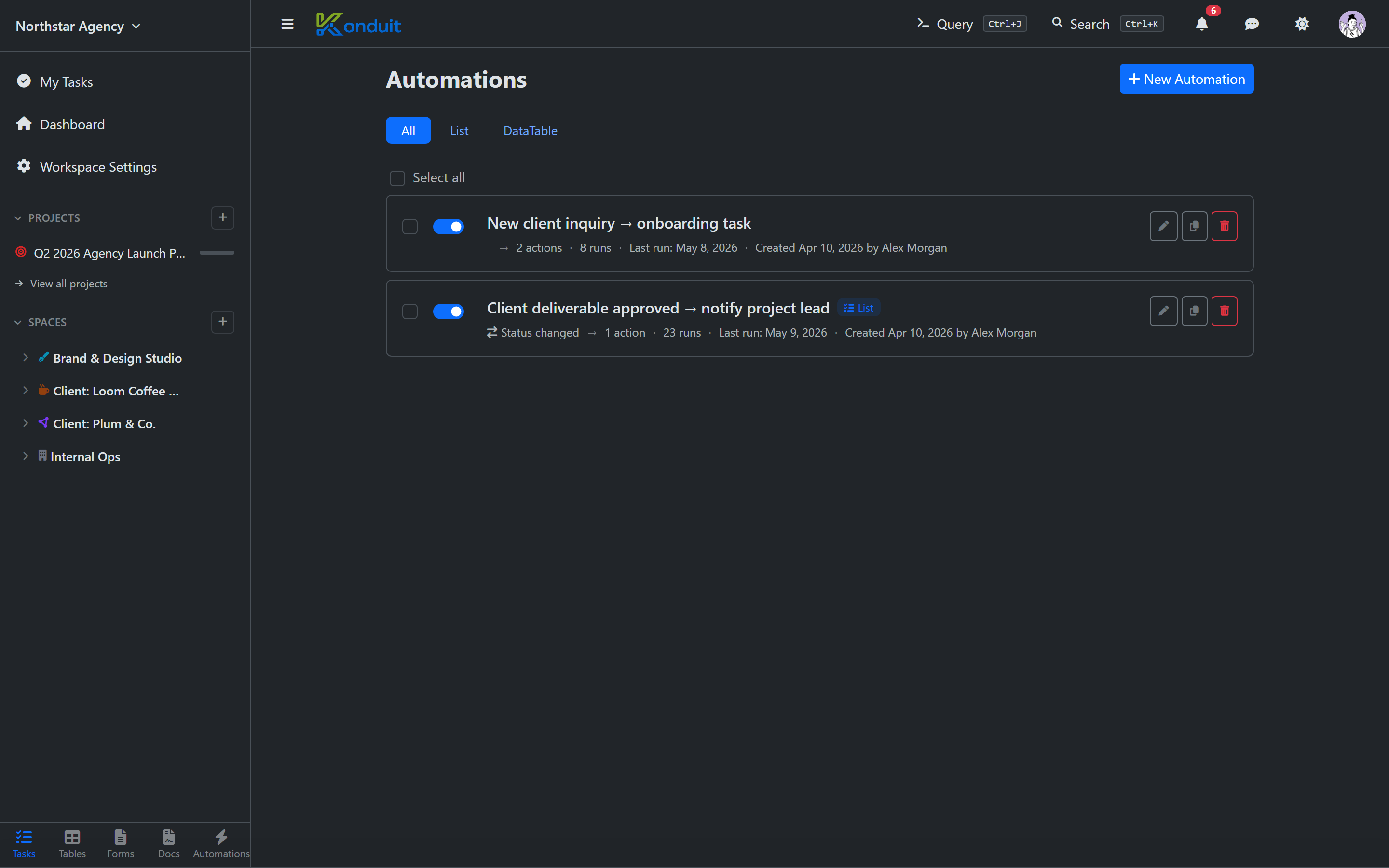
An Automation is a when X happens, do Y rule. Konduit runs them for you automatically — they fire reliably regardless of who's logged in.
Anatomy
| Part | Description |
|---|---|
| Trigger | What fires the rule — task created, field changed, time logged, a date arriving, a recurring schedule, etc. |
| Conditions | Optional filters on the trigger — only when severity = high, etc. |
| Actions | What to do — create a task, update the triggering task, insert a row, send a notification, send a webhook |
Triggers
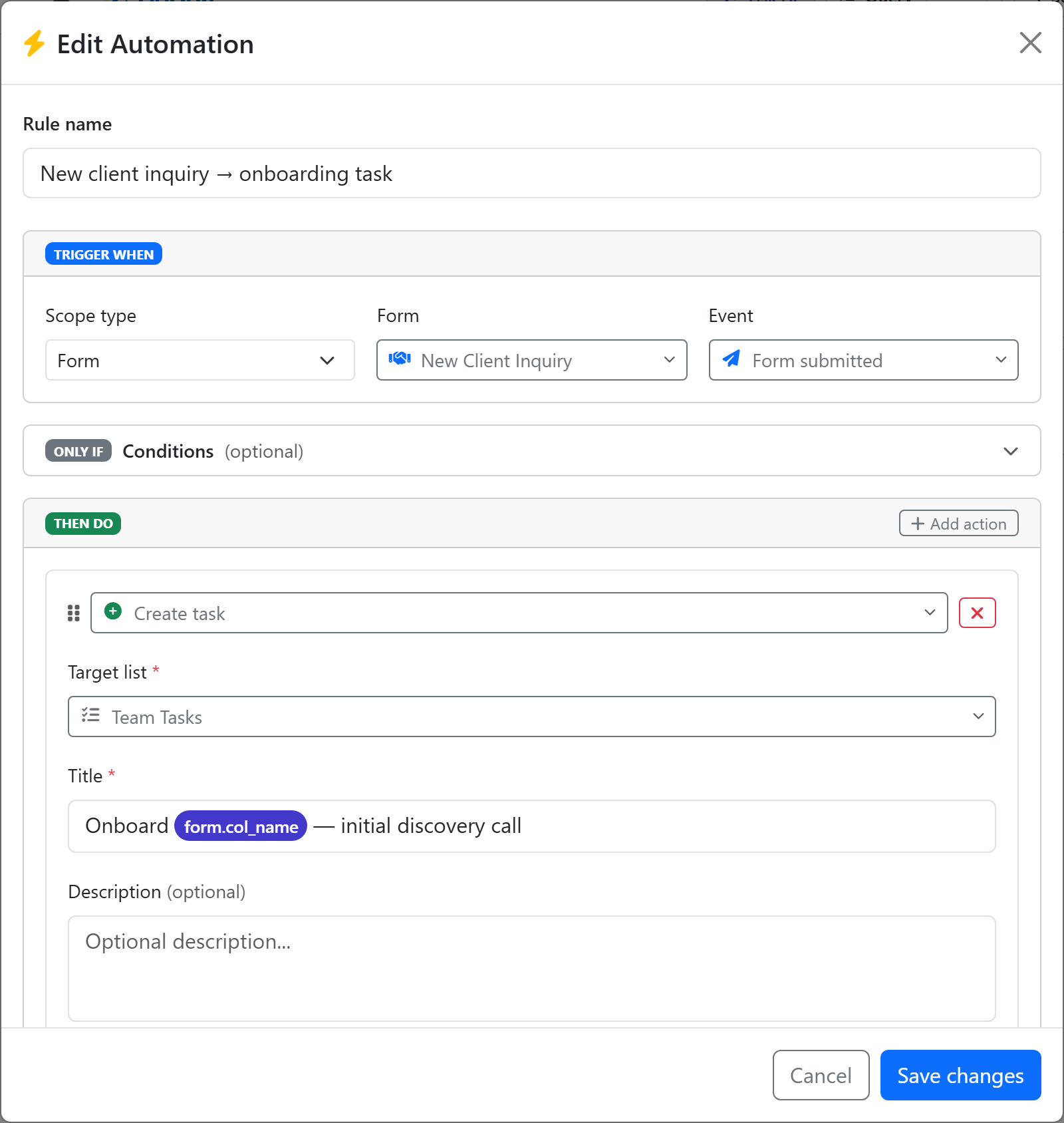
Every automation is scoped — it lives on a list, a datatable, a form, or a document template — and the triggers you can pick depend on that scope:
| Scope | Trigger | Fires when |
|---|---|---|
| List | task_created |
A new task is created in the list (UI, API, or a form) |
| List | task_field_changed |
A watched field on a task changes — filter on the Status field to catch status transitions (there is no separate "Status changed" trigger) |
| List | task_deleted |
A task is deleted — the payload carries a snapshot of the task as it was, plus who deleted it |
| List | time_logged |
A time entry is logged on a task — optionally only billable entries, or only entries over a minimum duration |
| List | date_trigger |
A date field arrives — with a configurable lead time (e.g. 2 days before a due date) |
| List | recurring |
On a repeating schedule — daily, weekdays, weekly, or monthly (with day-of-week / day-of-month + time) |
| DataTable | row_inserted |
A new row is added to the table |
| DataTable | row_updated |
A row's values change |
| DataTable | row_deleted |
A row is deleted |
| DataTable | date_trigger |
A date column on the table arrives — renewals, warranty expiries, licence end dates. Rows have no finished state, so this fires on or before a date, never after |
| Form | form_submitted |
A published form receives a submission |
| Document template | document_sent |
A generated document is shared out for signature |
| Document template | document_signed |
Every signer has signed |
| Document template | document_committed |
A document is finalized in person — signed on your device rather than by email |
| Document template | document_declined |
A signer declines to sign |
| Any scope | approval_granted |
An approval requested by a rule on this scope is granted — by a person, or automatically on timeout. The payload carries the original rule's task or row and any document it generated, so a follow-up rule can act on them. See Approvals |
Document-scoped rules live on the template itself — open a document template and click Automations. They're how the quote signed → job scheduled half of a workflow gets automated. When the template is bound to a task list, the rule can act on the source task the document was generated from (with Update triggering task); when it's bound to a DataTable, it can update the source row.
Looking to make a single task recur on its own? That's a recurring task, not an automation. Use automations when you need an ACTION (email, webhook, row insert) to fire on a schedule; use recurring tasks when the WORK ITSELF is a task that should clone forward.
Conditions
Conditions filter the trigger. Mix-and-match field comparisons:
- "Only when Severity = High"
- "Only when Customer.Region = EU"
- "Only when assignee is Alice"
Compound logic with AND / OR is supported.
Actions
| Action | What it does |
|---|---|
| Create task | Create a new task in a target list |
| Update triggering task | Update the task that fired the rule — its status, assignees, or any custom field |
| Insert datatable row | Add a row to a DataTable |
| Update datatable row | Update a row in a DataTable |
| Generate document | Generate a document from a template against the triggering record |
| Send document for signature | Send the document generated earlier in the rule out for signature — binds the signature blocks, invites the signers in order (each one after the previous signs), and moves the document to Sent. Pair it with Request approval so nothing goes out until someone says yes |
| Send notification | Send an in-app notification (with optional email) |
| Send email | Send an email to recipients (supports templates) |
| Request approval | Pause the rule and wait for a person to approve or reject — everything after this action is held until they decide. See Approvals |
| Send webhook | POST a JSON payload to a URL (HMAC-signed) |
Actions run in the order you list them, and each one can use what the ones before it produced — a Send email placed after a Generate document can attach that document or link to it.
Pausing for a human
Most rules run start to finish. Request approval is the exception: it stops the rule where it sits, notifies the approvers, and releases the remaining actions only once someone approves. Put it immediately before the first action that shouldn't happen without a yes — the email to the customer, the document going out for signature, the row insert, the webhook — and everything above it still runs so the approver has something to look at.
When an approval is granted, the Approval granted trigger also fires on the same scope — so a separate rule can react to the yes: post a notification, update a status, or send the generated document for signature. The classic use: rule one drafts an offer letter and requests approval; rule two, on Approval granted, sends it to the candidate for signature. Nobody touches an email client.
Full details, including timeout policies and the approvals inbox, are on the Approvals page.
Scheduled automations
Use the recurring trigger for "run this every Monday at 9am" workflows, or date_trigger to fire off a date field (e.g. 2 days before a due date). Pair either with the send email or send notification action for digests, reminders, and status reports.
Webhook signing
Webhook payloads are HMAC-SHA256 signed with the automation rule's ID as the key — the signature is per-rule (per-automation), not per-action. It's sent as X-Konduit-Signature: sha256=… alongside an X-Konduit-Rule-Id header. See API → Webhooks for verification details.
Run history
Every automation run is recorded — who triggered it, what conditions matched, what actions ran, success/failure. There's no separate Settings audit-log screen; each rule card shows its run count, and full run history is available per-rule through the API.
Limits
| Free | Pro | Business | |
|---|---|---|---|
| Automation rules | — | 10 | Unlimited |
| Runs / month | — | 5,000 | 25,000 |
| Emails sent by automations / day | — | 500 | 2,000 |
Free workspaces don't have automations. Run add-on packs are available if you outgrow a month. The daily email budget covers everything automations send (notification emails, approval requests, and the send email action) — it exists to keep the sending domain trustworthy, and a legitimate workspace won't meet it. See pricing.
Next
- Approvals — pause a rule for a human decision
- Documents & Templates — generate, send, and sign documents from a rule
- Forms
- Scheduled Reports