Members & Guests
Everyone you add to a workspace gets a role that decides what they can do — from full control (owner) down to a guest who only sees the handful of things you share with them.
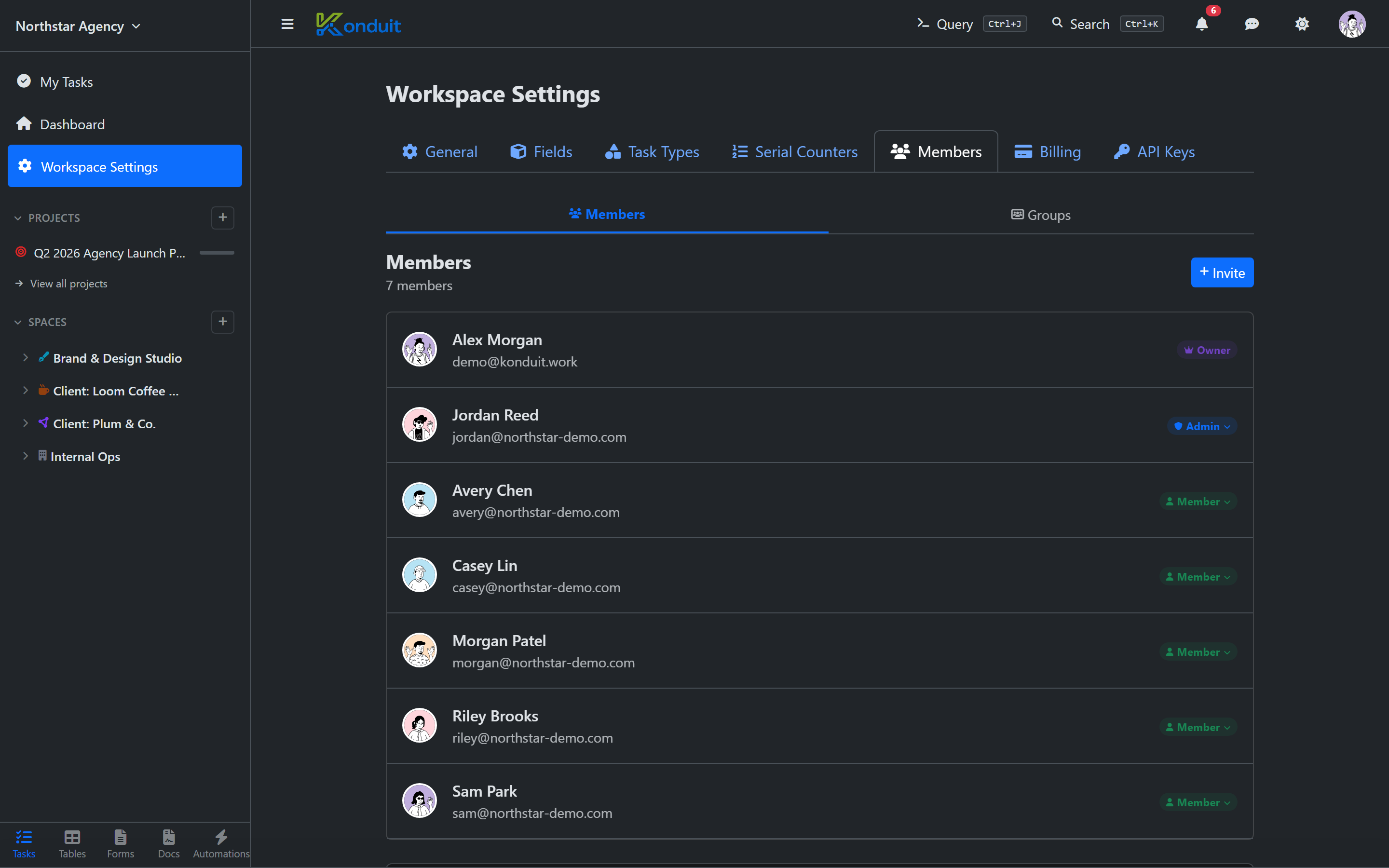
Manage everyone from Settings → Members.
Roles
| Role | What they can do |
|---|---|
| Owner | Everything, including billing and workspace deletion. There is exactly one owner, and the role can't be changed or removed. |
| Admin | Manage members and invites, and everything a member can do. Admins can't touch billing. Only the owner can add or change other admins. |
| Member | Create and edit content across every non-private space, list, and datatable. Can't manage members or workspace settings. |
| Guest | A non-paying external collaborator — a client, contractor, or reviewer. A guest sees only the items you explicitly share with them, can read and comment but never edit, and does not take up a paid seat. Guests are available on Pro and above (Pro includes 25 per workspace; Business is unlimited). |
The hierarchy is owner > admin > member > guest.
Inviting people
From Settings → Members, click Invite, paste one or more email addresses (separated by commas, semicolons, or new lines), pick a role — Member, Admin, or Guest — and send.
- People who already have a Konduit account are added to the workspace immediately.
- New people receive an email invitation with a link to accept. The link expires after 7 days.
- Anyone already in the workspace, or already holding a pending invite, is skipped.
You can invite several people at once — Konduit reports how many were added, invited, and skipped.
Pending invites
Invitations that haven't been accepted yet show under Pending Invites, with who sent them and when. Owners and admins can revoke a pending invite at any time with the ✕ button.
Accepting an invite
The invitee opens the link from their email (/invite/…), signs in or creates an account, and is added to the workspace. If the workspace has hit its member limit by then, acceptance is blocked until the owner makes room or upgrades.
Changing roles
Open the role menu next to a member to change their role. A few rules keep things safe:
- You can't change your own role, and the owner is fixed (can't be changed or removed).
- Only the owner can promote someone to admin or change an admin's role.
- Promoting a guest to member is one-way. A guest becomes a full member — and a billing seat — and can't be switched back to guest afterward.
- A member or admin can't be demoted to guest. Guests and members have fundamentally different access (and billing) assumptions. If you need an existing member to have restricted access, use privacy instead (below) — don't try to downgrade them. To make someone a guest from scratch, remove them and re-invite as Guest.
Scoped access
A guest sees nothing by default. You give them access by sharing individual resources — a space, list, or datatable — with them. Everything else stays invisible.
Whatever you share, guests are read + comment only: they can view the resource and join task conversations (comments and reactions), but they can never edit tasks, rows, fields, or settings — regardless of the level a resource is shared at. If someone needs to make changes, make them a member; that's the line between a free guest and a paid seat.
The same privacy + sharing tools let you scope a member's access too: make a resource private so it disappears for everyone, then share it only with the people (or groups) who should see it. Making resources private and granting access is a Pro-and-up capability — see Spaces & Folders → Privacy.
Two related tools help you manage access at scale:
- Datatables Admin (Pro and up) — a per-member toggle that lets someone view and manage every datatable regardless of privacy. Useful for a central data steward. It applies to datatables only.
- Member groups (Business) — named groups you can grant access to, or
@-mention in comments and automations, so you don't have to share with people one at a time.
Removing a member
Owners and admins can remove someone from the role menu (Remove from workspace). Removal:
- Takes effect immediately — they lose access on their next request.
- Clears their shared-resource access and group memberships.
- Keeps their work. Tasks they created and comments they left stay in place and show them as a former member.
You can't remove yourself (transfer ownership first) or the owner, and only the owner can remove an admin.
Seats and billing
Paid plans are priced per seat: Pro is $10/seat per month, Business is $20/seat per month (both cheaper billed annually). Guests don't take a seat — they're free external collaborators. Only when you promote a guest to member do they become a billing seat (a one-way change). The Free plan is capped at 3 members. See the pricing page for the full breakdown.
| Free | Pro | Business | |
|---|---|---|---|
| Members | 3 | Unlimited (per seat) | Unlimited (per seat) |
| Guests | — | 25 per workspace | Unlimited |
When you have more members than seats
If your workspace ends up with more members than its plan allows — say a Business workspace moves to Pro, or a paid plan lapses to Free — nobody is removed and nothing is deleted. The newest seats are simply paused to view-only: those people can still read everything and comment, but not edit. The workspace owner chooses which seats stay active in Settings → Members (or upgrades to reactivate everyone at once). The moment the plan covers everybody again, every paused seat unlocks automatically.
Next
- Workspaces — plans, switching, and workspace-level settings
- Spaces & Folders — privacy and what "shared" means
- FAQs