Custom Fields
Custom fields let you add domain-specific data to tasks — severity, customer, hours estimate, urgency, region, anything. They're defined once at the workspace level and assigned to specific lists.
How they're scoped
Konduit separates definitions from assignments:
- Definitions live at the workspace level — "Severity is a dropdown with options Low/Medium/High"
- Assignments scope a definition to a workspace, space, or list — "the Severity field appears on tasks in the Bugs list"
This means you reuse a single Severity definition across multiple lists without copy-pasting. Change the options once → updates everywhere.
Creating a field
Two entry points (intentional):
- From a list: click the Edit Fields button (cube icon) in the list header to open the Edit Fields modal. Its Add New section has two tabs — Task Field and DataTable Field — and a Create Field button
- From workspace settings: Settings → Fields for centralized management
Both edit the same fields, so a change made in one place shows up in the other.
The add-field dialog has two tabs: Task Field (the field types below) and DataTable Field (link to a DataTable — covered under Linking tasks to DataTables below).
Field types
The full type catalog is on the Field Types page. The types you can add to a task:
- text, longtext, email, phone, link — strings
- number, currency, slider — numerics
- dropdown — single pick from colored options
- tags — multi-select from colored options
- date — a single date, optional time
- checkbox — boolean
- people — workspace member picker (one or more)
- datatable — a live link to rows in a DataTable, added from the DataTable Field tab (see below)
Computed and file-style columns — formulas, roll-ups (Linked Summary), and attachment columns — live on DataTables, not on task fields. Link a DataTable to a task to bring that data in. (Tasks have their own Attachments and Time Tracking as built-in features, not custom fields.)
Assigning to a list
Open the list's Edit Fields modal (the Edit Fields button in the list header). Existing workspace fields can be added directly — an Add affordance appears for matching definitions — or create a new one via the Add New → Create Field flow. The field appears on every task in that list immediately.
Most-specific-wins resolution
If a field is assigned at multiple scopes (workspace, space, list), the most specific assignment wins. List assignments override space, which override workspace. This lets you set a workspace-wide default while customizing per-list.
Linking tasks to DataTables
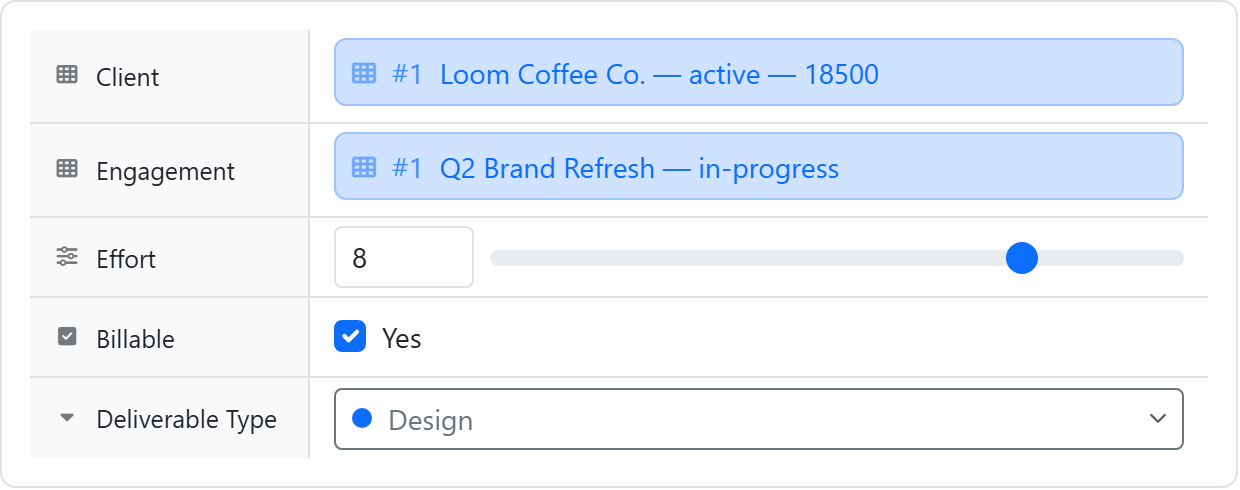
A datatable custom field connects a task to rows in a DataTable — a live link, so updating the row updates every task that points at it. Add one from the DataTable Field tab of the add-field dialog (it isn't in the regular type list). A datatable field works one of two ways.
Pick from table
The task picks existing rows from the table — a customer, a project, one or more parts. Under Allow selecting, choose:
- One row — a single linked record (the default)
- Multiple rows — a multi-select relation; the task can link to several rows at once
Selected rows show as tags/chips on the task, displaying up to two columns you choose. Use this to attach a task to records that live in a shared table and to filter or report on their attributes (revenue tier, region, account manager).
Track and add entries (line items)
Instead of picking existing rows, the task gets its own child rows — line items, parts, expenses — that you add, edit, and delete inline as a mini-table right on the task. Each row belongs to that one task; Konduit links them through a task column on the child table, which it creates automatically if the table doesn't already have one.
You choose which columns show on the task, and each shown column can display an optional bottom summary — sum, average, count, and so on. Columns you don't surface stay editable in the row detail view.
To total those child rows onto a parent DataTable row — a customer's total invoiced, a project's task count — add a Roll-up (Linked Summary) column on the parent table. Line items are the "edit" side of the relationship; roll-ups are the "total" side.
For the full pattern — including how each mode stores its data, the API, and how line items map into documents — see Datatable-link Fields.
Removing
Removing a list assignment hides the field from that list but preserves the existing values (re-add the assignment to recover them). Removing a workspace definition is destructive — all values across all lists are lost.
Plan limits
| Free | Pro | Business | |
|---|---|---|---|
| Custom field definitions | 15 | 150 | Unlimited |
The limit counts field definitions in the workspace — assigning an existing field to more lists is always free.