Lists
A List is the container for tasks. Every list has its own:
- Name, color, icon
- Statuses — the lifecycle stages tasks move through, defined at the space level and shared by every list in that space
- Custom field assignments — which fields appear on tasks in this list
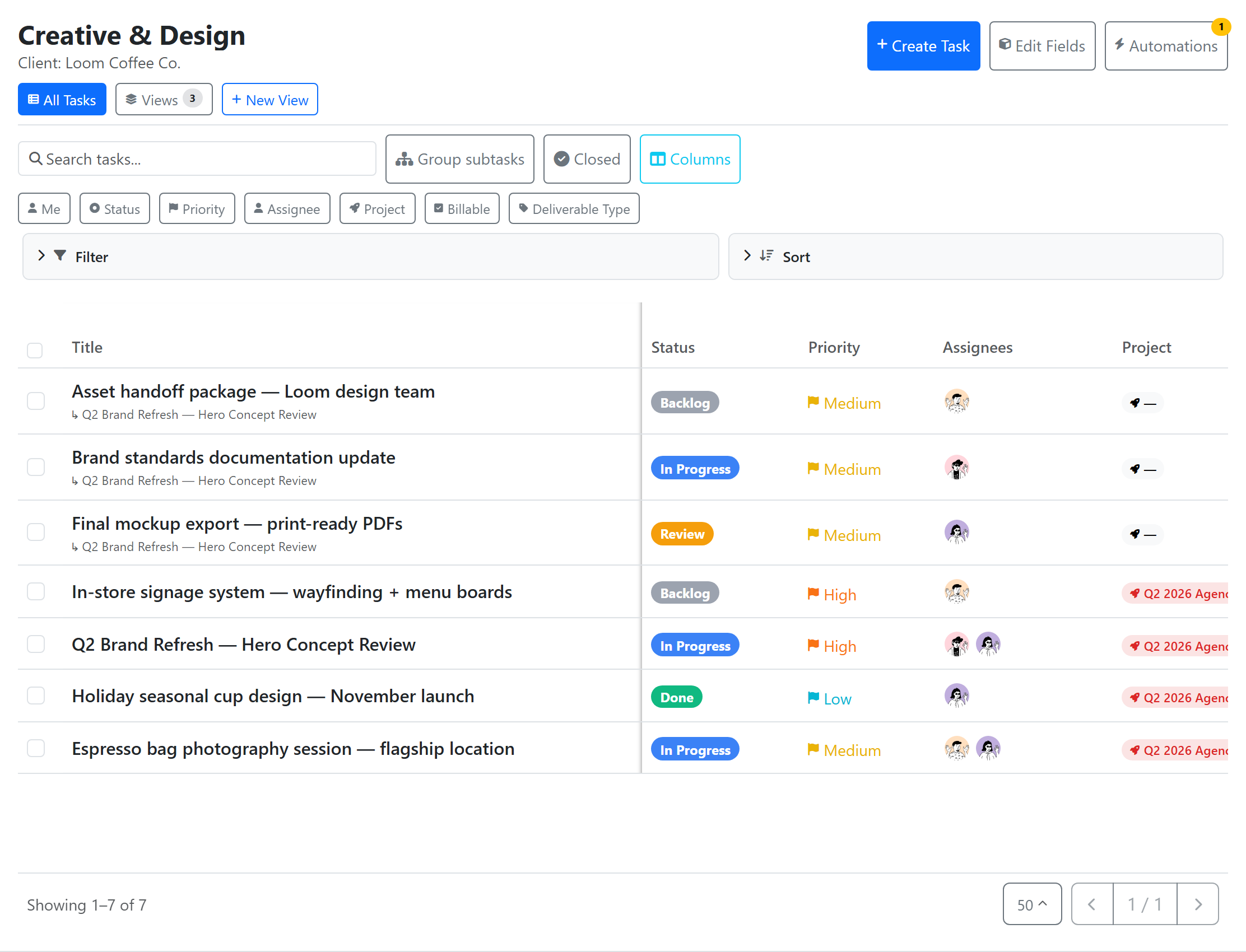
- Views — Table and Board (Kanban)
Creating a list
In the sidebar, hover over a space (or folder) and click +, choose New List. Give it a name, color, icon. Tasks land in your new list immediately.
Statuses
Statuses are defined at the space level and shared by every list in that space — a list doesn't have its own status set, it uses the space's statuses. Default statuses for a new space: Open, In Progress, Complete, Completed, Cancelled.
Edit statuses from the space: in the sidebar, open the space's ⋯ menu → Manage Statuses. You can:
- Rename, reorder, recolor
- Assign a status to one of four categories — Not Started, Active, Done, or Closed (the hidden/closed bucket is distinct from Done)
- Add or remove statuses
Assigning custom fields
Open Settings → Fields to assign custom fields to this list. Field assignments are scoped — you can have a Severity dropdown on the Bugs list but not on the Features list, both from the same workspace-level field definition.
Views
A task list has exactly two view types — switch between them via the tabs at the top:
- Table — spreadsheet-style rows and columns with inline editing (the default All Tasks view)
- Board — Kanban-style, one column per status
Calendar is a dashboard widget, and Gantt is a project-level view — neither is a list view. See Views Overview for the full picker.
Privacy
Lists can be private (members + groups). See Spaces & Folders → Privacy.