Time Tracking
Konduit tracks time per task per user. Three modes: manual entries (Toggl-style sync), running timers (start/stop), and bulk entry via the API.
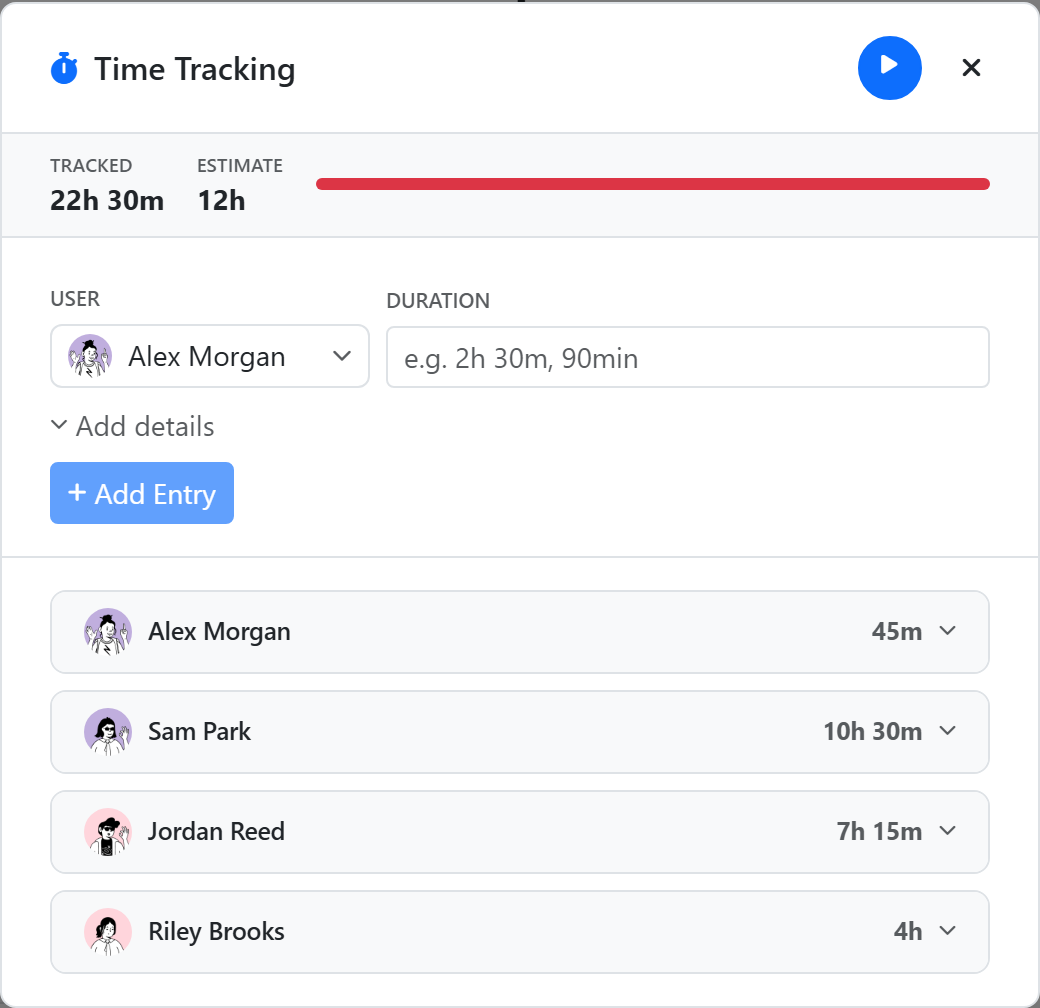
Manual entry
Click the + in the time-entries panel. Enter:
- Duration — in minutes or
1h 30msyntax - Note — optional context
- Date — defaults to today
- Billable — checkbox for client billing
Save. The entry appears in the per-user breakdown and rolls up to the task total.
Running timer
Click Start Timer to start tracking from now. The timer ticks live in the panel. Click Stop when done — Konduit computes the duration and saves the entry.
You can have one running timer per task per user. Starting a new timer on a different task while one is running is allowed (you can run two timers simultaneously across two tasks, intentionally).
Per-user totals
The panel shows breakdowns by user — each row collapsible. Total time for the task appears at the top.
Billable
Mark entries as billable for invoicing. Billable totals can be:
- Rolled up in dashboards via the Timesheet time widget, which splits billable vs non-billable
- Priced with hourly rates and turned into an invoice — see From tracked hours to an invoice below
From tracked hours to an invoice
Tracked time isn't a dead end in Konduit — it's the first step of a money loop that ends in a document you can send. Hours never get re-keyed into a separate billing tool.
- Log the time on the task, manually or with the timer, and tick Billable.
- Add a contributors block (labelled Time & rates in the editor) to a task-source document template. It reads this task's time entries and renders a per-person Person | Hours | Rate | Total breakdown.
- Choose where the rate comes from — a flat rate on the block, a currency field on the task, or a lookup against a Rates DataTable keyed by person, by customer, or by both. See the rate modes table.
- Add a totals block below it. It picks up the contributors block's money subtotal, applies any tax or discount lines, and produces a Grand Total.
- Generate the document — manually, from the task's Files tab, or automatically via an automation when the task hits a done status. The same rule can email it to the customer and collect a signature.
Two options on the contributors block matter for billing accuracy:
- Billable only — when on, non-billable entries are excluded from the block entirely (internal work doesn't quietly appear as a zero-dollar line).
- Hours format — show hours as decimals (
2.50) for accounting, or as2h 30mfor a human-readable work summary.
Editing entries
Hover an entry for the edit/delete icons. Running timers can't be edited — stop them first.
API integration
Sync from Toggl, Harvest, or your own tracker via the public API. See API → Time Entries for the manual-entry / start / stop / as_user workflow.
Next
- Documents & Templates — turn billable hours into an invoice
- Dashboards — billable vs non-billable at a glance
- Dependencies
- Forms